
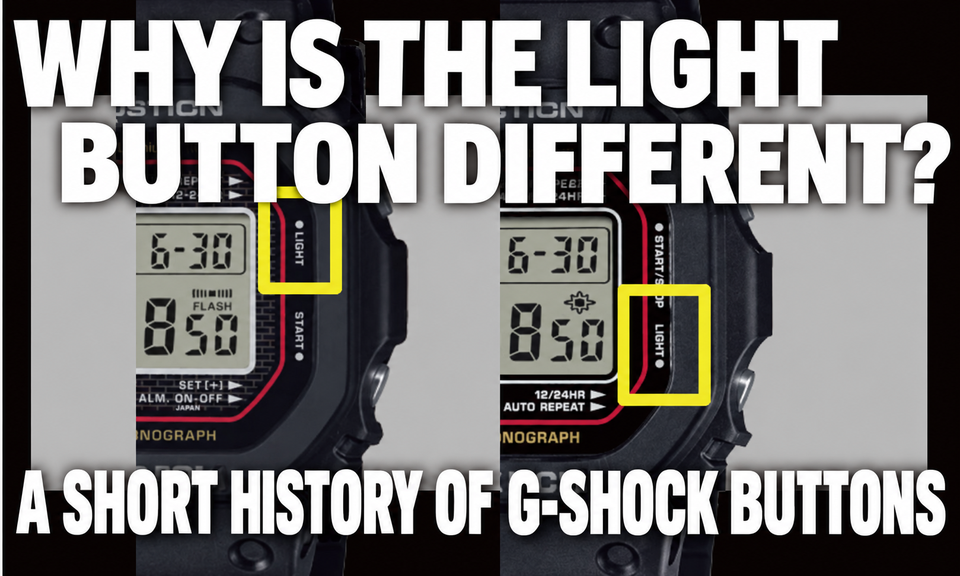
The roles of the 4 buttons on square G-SHOCKs, A/B/C/D, have gradually changed through the generations, from the original to radio-controlled solar models.
There are reasons for differences in operation despite similar appearances, including the light button position, recessed upper-left button, and RECEIVE label.
- "The upper-left button is recessed and hard to press—is it defective?" is your concern.
- Between the DW-5600E and radio-controlled solar GW-M5610, the different light button position is confusing you.
- You want to understand why button roles vary by model, including examples from the 90s and 2000s
Longtime G-SHOCK fans probably know that the functions of the 4 buttons have changed over time.
This article organizes those generational differences from the original to the latest models.
To avoid confusion, this article first fixes the button-position names.
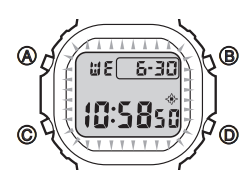
- A = upper left (UL)
- B = upper right (UR)
- C = lower left (LL)
- D = lower right (LR)
However, CASIO's official A/B/C/D labels can have different assignments depending on the module.
The text therefore generally uses upper left, upper right, lower left, and lower right, explaining things consistently with CASIO's position-based wording.
This article follows
Original G-SHOCK → DW-5600 → GW-M5610 → GMW-B5000D → GMW-BZ5000D
,
explaining chronologically why the 4 buttons received their positions and roles.
The Article's Conclusion
The broad button roles on square G-SHOCKs are similar, but the light button position and the lower-right button's role, such as START/STOP or RECEIVE, vary by generation.
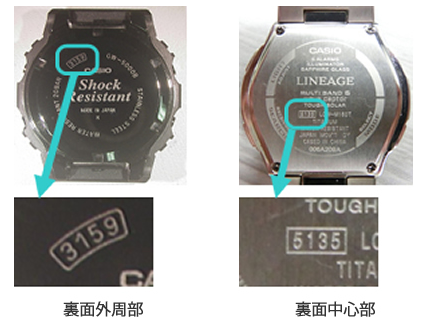
The most reliable approach is to use the module number on the case back.
CASIO also directs users to search by module number.
The recessed, hard-to-press upper-left button often discussed on DW-5600E models varies between individual watches, but its actual design purpose is to prevent accidental operation.
Online,
upper left = A, upper right = B, lower left = C, lower right = D
is a common explanation, but that mnemonic is correct only for some models.
The meanings of A/B/C/D themselves change by model and era.
The Verdict First: Button Roles Depend on the Module Number, Not the Model Name
Even watches sharing a name such as DW-5600xxx have different controls if their internal modules, or circuit-board numbers, differ.
Checking the module is quicker than judging by age or appearance.
How to Find the Module Number
You can find it in any of these places:
- Engraved on the case back
- On the cover or first page of the instruction manual
- Search by model number in Casio's official manual search
The module number is the blueprint determining button operation.
Check the module first, rather than age or appearance.
That is the quickest route to understanding square G-SHOCKs.
If you have lost the manual or do not know how to adjust the settings, use the following method.
A 3- or 4-digit number enclosed in a square is on the back of a CASIO watch.
On Casio’s manual page, enter this number to view the manual.
Why Even DW-5600 Models Can Have Different Light Buttons
The first thing that confuses many people is the light button position.
- Some illuminate with the lower-right button
- Others illuminate with the upper-right button
This clearly reflects differences in era and module design philosophy.
- Classic battery-powered generation → D, lower right, is usually the light
- Radio-controlled solar generation onward → B, upper right, is usually the light
This difference arose because what the watch is primarily expected to do changed.
In the battery era, the light was an obvious main function. With radio-controlled solar, reception became a premise and button priorities shifted.
Chapter 1: Original G-SHOCK, DW-5000C / DW-5600C
The Origins of the 4-Button Approach
This is the original G-SHOCK. The basic 4-button approach was already established at this point.

The first G-SHOCK, the DW-5000C in 1983, established the idea of controlling everything with 4 physical buttons.
Original colors, known as the red frame, remain popular, with several original-color models still released today.
However, you can see different button positions at a glance.
Here is the DW-5600RL, the 5600 original-color model, with module 3525.

Where to Buy the Casio DW-5600RL-1

Affiliate links — we may earn a commission.
The model faithfully recreating the original colors is the DW-5000R, module 3576.
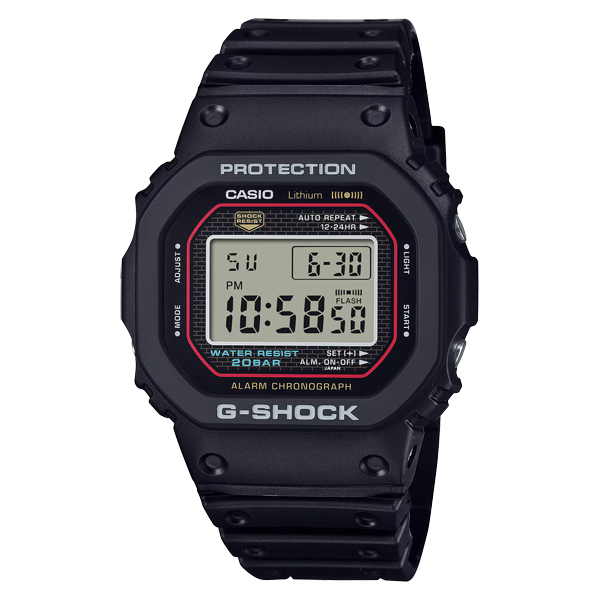
Where to Buy the Casio DW-5000R-1A

Affiliate links — we may earn a commission.
Look very closely. The point to notice is the light button position.
Can you see the difference?
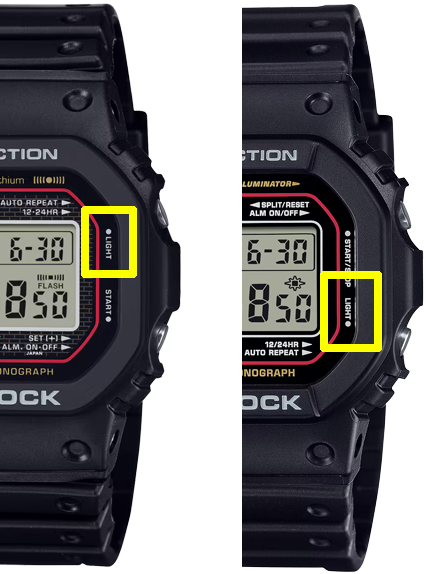
Upper right on the original model, lower right on the 5600.
The original did indeed use the upper right, but the following 5600 family remained mainstream for so long that
longtime G-SHOCK fans often think of the light as the lower-right button.
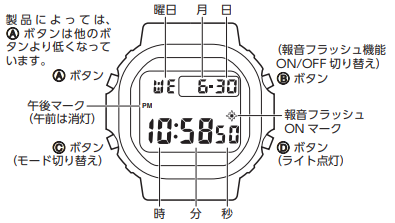
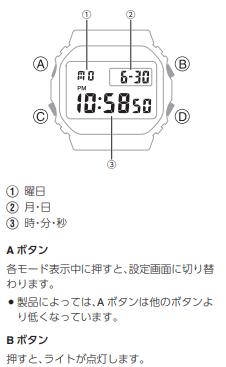
CASIO's official manuals also show that the light button positions differ.
The Original Generation's Basic Philosophy
The original established the 4-button approach.
- All essential digital-watch operations concentrated in 4 buttons
- To prevent accidental operation, setting buttons require a firm, deep press
- The light is a supporting function, not the main one
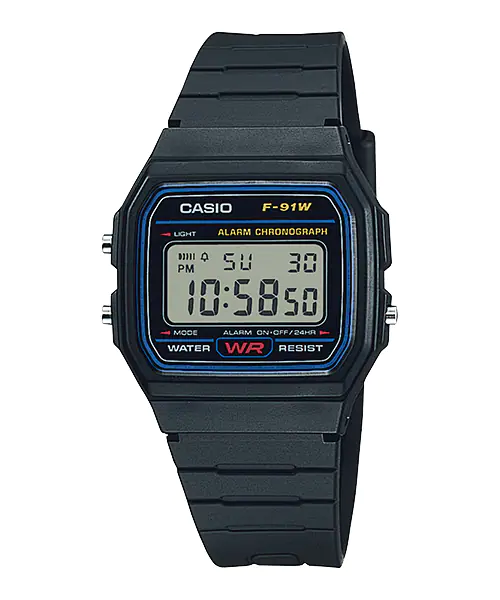
After all, many CASIO watches also have 3 buttons, such as the F-91W. Therefore, having 4 buttons can feel like a luxurious feature.
Button Roles: A Representative Original-Style Pattern
The original G-SHOCK, born in 1983,
focused everything on a single goal: making a watch that would not break.
The philosophy of the period was very simple.
- Minimal operation
- Prevent accidental operation as much as possible
- Light as a supporting function
- A: Upper Left: Adjustment and entry into settings (the button was recessed from the beginning, a defining feature)
- B: Upper Right: Light and on/off functions
- C: Lower Left: Mode selection
- D: Lower Right: Start/stop, with shared functions
At that time, the idea of a dedicated light button was not yet strong.
A dedicated light button like later generations was not yet established.
Chapter 2: DW-5600 Family, the Definitive Battery-Powered Design
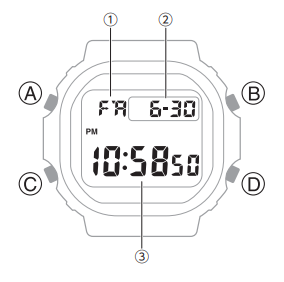
From the 90s onward, the DW-5600 family became the benchmark square G-SHOCK.
The DW-5600E in particular remains a worldwide longtime favorite.
This generation greatly clarified the control system.
DW-5600 / DW-5600E, Module 3229 Family
From the 1990s onward, the standard square G-SHOCK became the DW-5600 family.
The longtime favorite DW-5600E follows this lineage.
The DW-5600E can be said to have perfected the square G-SHOCK, with module number 3229.

Today, the LED-equipped successor DW-5600UE is available, with module number 3525.

Where to Buy the Casio DW-5600UE-1

Affiliate links — we may earn a commission.
Major Changes in This Generation
- A clearly dedicated light button
Personally, I suspect there was also an intention to emphasize the EL backlight used then, rather than a small bulb. - Clear separation of control and viewing functions
- A stronger emphasis on preventing accidental operation
Button Assignments: DW-5600E / Module 3229 Family
- A: Upper Left: ADJUST, entry into settings → more recessed and harder to press than the other buttons
- B: Upper Right: Secondary operation, varying by mode
- C: Lower Left: MODE, mode selection
- D: Lower Right: LIGHT, illumination
Why the Upper-Left Button Is Recessed
Many people handling a DW-5600E notice that
the upper-left button alone is hard to press
.
This is not a defect. An official design feature to make entering settings less easy.
- Avoid entering settings in daily use
- Prevent accidental operation
In other words, this generation prioritizes preventing mistakes over easy pressing.
This fully follows an approach where C/D handle daily operation and A is pressed deliberately only for settings.
How to Remember This Generation
- Mode selection: lower left
- Light: lower right
- Settings: upper left, harder to press
That expectation is generally reliable when using a battery-powered 5600.
Personally, I honestly find the lower-right light button easiest to press.
Chapter 3: The Radio-Controlled Solar Revolution, GW-M5610U Module 3495
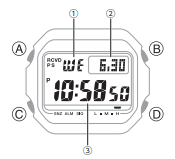
The light button is lower right.
The time came to overturn that long-standing assumption.
That was the arrival of radio-controlled solar watches.
GW-M5610, Module 3159
Here, square G-SHOCK's operating philosophy changed significantly.
Automatic reception of accurate time became part of the premise.
The easiest-to-press lower-right button became assigned to time adjustment, while
the light returned to the upper right, as on the original.
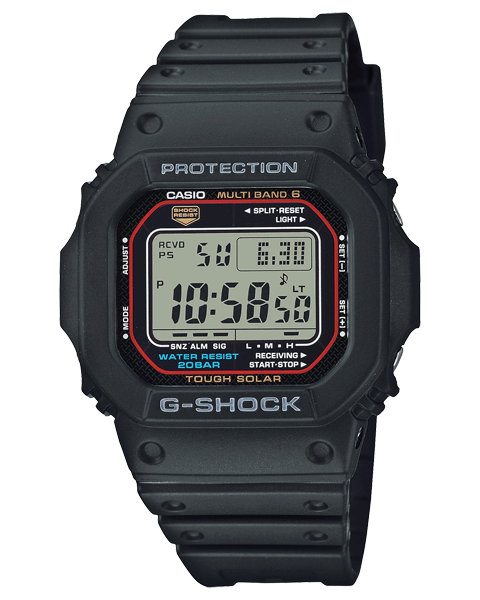
Where to Buy the Casio GW-M5610U-1

Affiliate links — we may earn a commission.
Radio Reception as the New Main Function
On the GW-M5610,
- automatic reception
- manual reception
- checking the reception date and time
—these reception operations became central to daily use.
An intention to emphasize radio-controlled timekeeping is also apparent.
As a result, the button roles were reorganized.
The Biggest Changes
- The RECEIVE concept is assigned to a button
- The light button changes position
Button Roles: GW-M5610 / Module 3159 Family
- A: Upper Left: Entry into settings and adjustment
- B: Upper Right: LIGHT, illumination
- C: Lower Left: MODE, mode selection
- D: Lower Right: RECEIVE functions, showing reception date/time and holding for manual reception
Why Did the Light Move to B?
The reason is simple. Checking reception status and initiating manual reception increased the importance of D.
Concentrating reception functions on D and moving the light to B aims to make reception operation dependable and reduce mistakes.
From this generation onward,
the assumption that the light is lower right no longer holds.
Chapter 4: The Full-Metal Benchmark, GMW-B5000D Module 3459
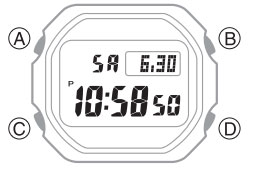
In 2018, the GMW-B5000D established the core full-metal G-SHOCK line.
Stable sales, popularity, and used-market prices are also strengths.
GMW-B5000D: Bluetooth × Radio-Controlled Solar

Where to Buy the Casio GMW-B5000D-1

Affiliate links — we may earn a commission.
Operating Philosophy
Its button arrangement, including B for the light and access to reception functions, resembles the GW-M5610. However, the GMW-B5000D uses a separate full-metal module (3459). Bluetooth connectivity takes the design beyond operation on the watch alone.
Button Roles: GMW-B5000D
- A: Adjustment and link settings
- B:LIGHT
- C:MODE
- D: RECEIVE / Bluetooth functions
Practical Points
Time adjustment is often left to the app, leaving button operation focused on the light, mode selection, and reception checks.
The physical buttons play a smaller role, with the watch moving toward a minimal control interface.
Chapter 5: The Latest Generation, GMW-BZ5000D Module 3575
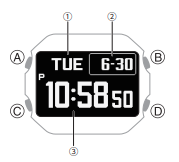
GMW-BZ5000D and the End Point of Button Evolution
In the latest generation, the question is
not which button does what, but
what needs to be done with buttons at all
.
- Basic operation through the app
- The watch alone handles checking and secondary tasks
While retaining the 4-button approach, the roles have been pared down as far as possible.
GMW-BZ5000D, Latest Module 3575)
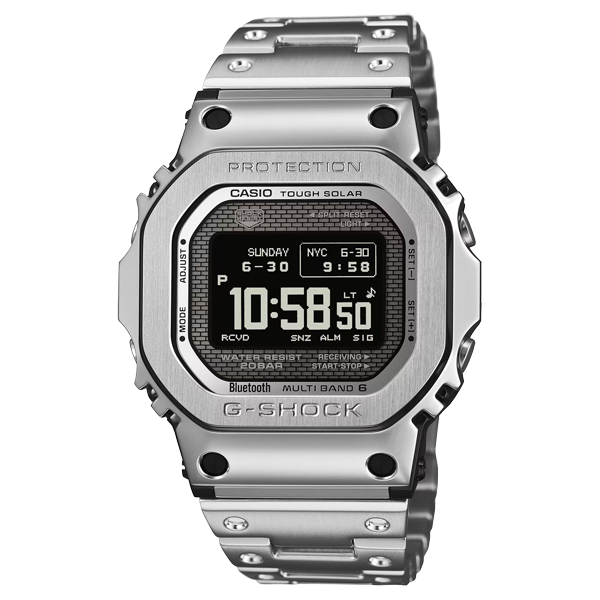
Where to Buy the Casio GMW-BZ5000D-1

Affiliate links — we may earn a commission.
An evolution of the GMW-B5000D, this model reflects the latest module and control-interface philosophy.
While following the basic full-metal button roles, the display and responses evolve and physical button use becomes less frequent.
In this generation,
rather than which button does what,
which tasks you perform on the watch itself
is the important question.
Physical buttons increasingly become a minimal control interface.
Explaining 90s and 2000s Differences Reliably
The important point here is
not to make absolute statements by era.
Even within the same era,
- battery-powered
- solar
- with or without radio reception
models coexist.
The reliable approach is simple.
- Check the module number
- Check the official manual's parts names and operating instructions
This alone helps avoid incorrect online information.
Conclusion: The 4 Buttons Show the Traces of Evolution
- Original: minimal input controls
- DW-5600: mistake prevention and a dedicated light
- GW-M5610: rearranged around reception
- Full metal onward: less physical operation
The 4 buttons on square G-SHOCKs are a succession of the best solutions for each era.
When a button feels hard to press or confusing,
remember the watch's era and design philosophy.
That is a way to enjoy square G-SHOCKs more deeply.
This article has organized the differences in light position, button recesses, and RECEIVE chronologically.